

Adjust Delegator Stake
Open the Developer tab, and click Extrinsics. There, you’ll need to submit the extrinsic with the amount you would like to add/subtract from your stake.To Increase Your Stake
Developer → Extrinsics → Submission → parachainStaking → delegatorStakeMore(more)
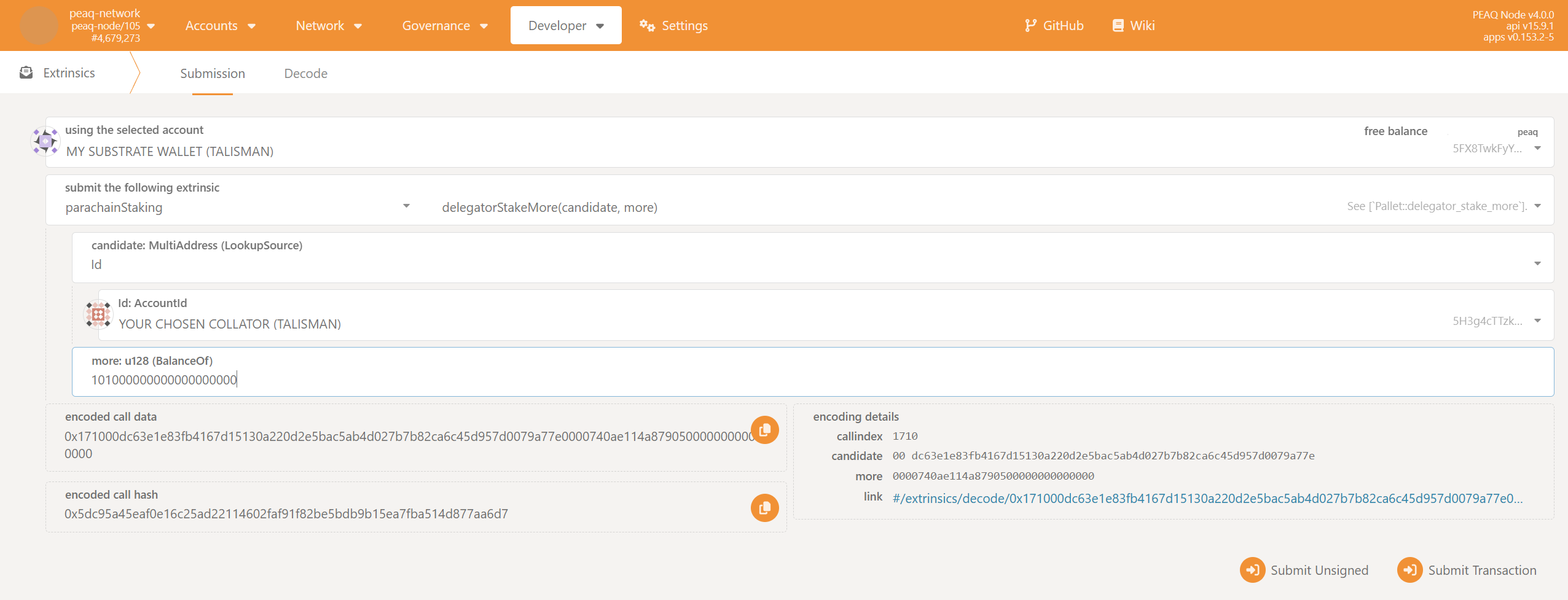
300000000000000000000.
- Select
Idin the dropdown list in the fieldcollator: MultiAddress (LookupSource). - Paste the same
Id(which you used during thejoinDelegatorsstep) to theId:AccountIdfield. - Enter the additional staking amount to the
more: u128 (BalanceOf)field. - Click
Submit Transaction.
To Decrease Your Stake
Developer → Extrinsics → Submission → parachainStaking → delegatorStakeLess(less)
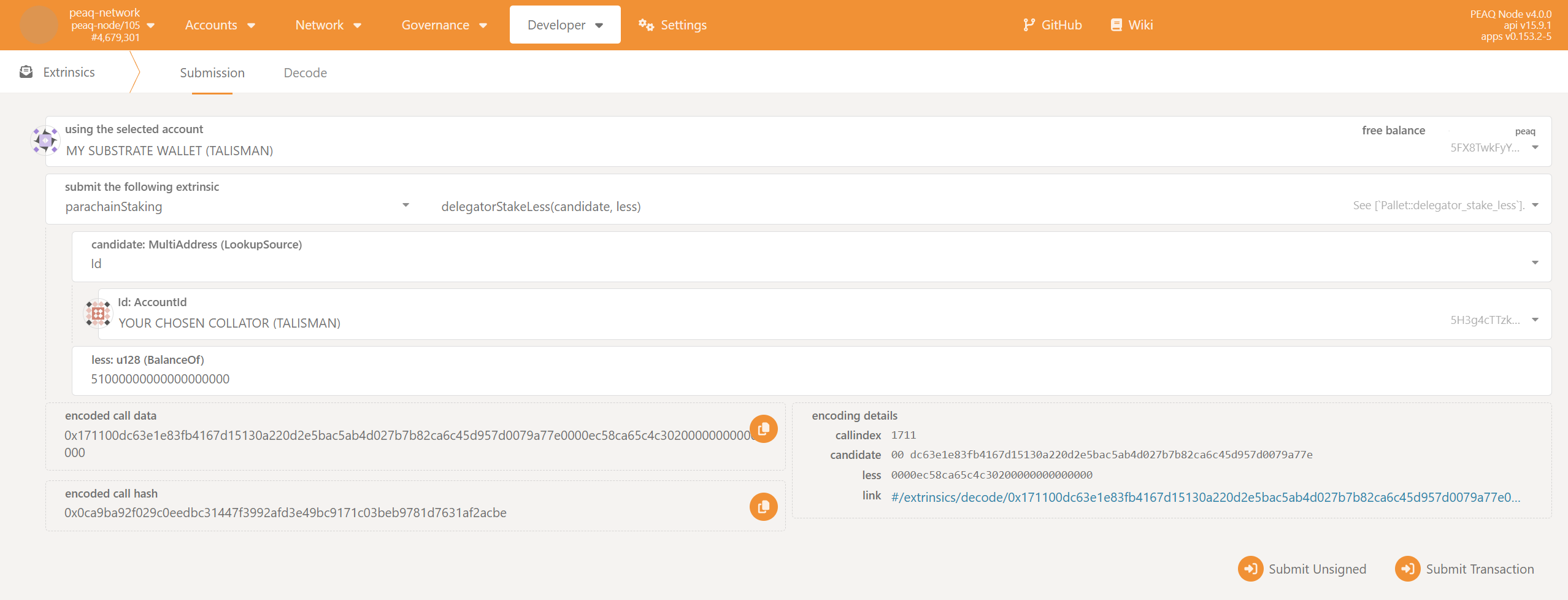
100000000000000000000.
- Select
Idin the dropdown list in the fieldcollator: MultiAddress (LookupSource). - Paste the same
Id(which you used during thejoinDelegatorsstep) to theId:AccountIdfield. - Enter the staking amount to be subtracted in the
less: u128 (BalanceOf)field. - Click
Submit Transaction.
Unlock Your Unstaked Tokens
Developer → Extrinsics → Submission → parachainStaking → unlockUnstaked(target)
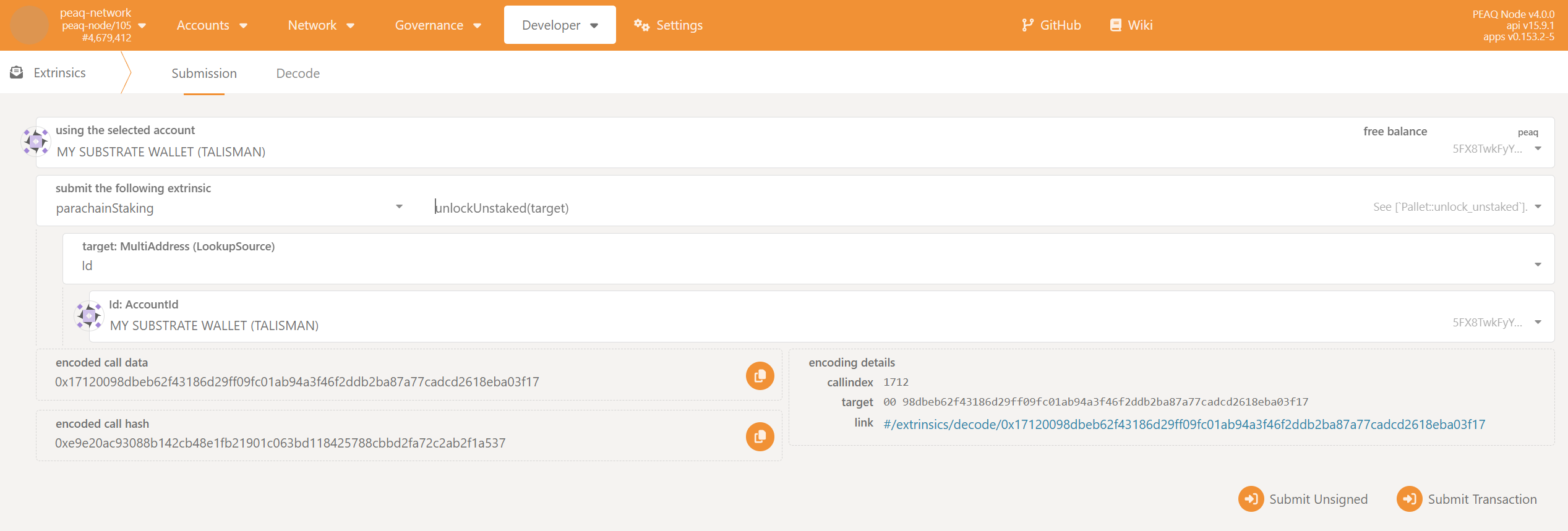
- You will be able to unlock your tokens in 14 days after sending
delegatorStakeLess. - To check when you’ll be able to unstake, use:
Developer → Chain state → parachainStaking → unstaking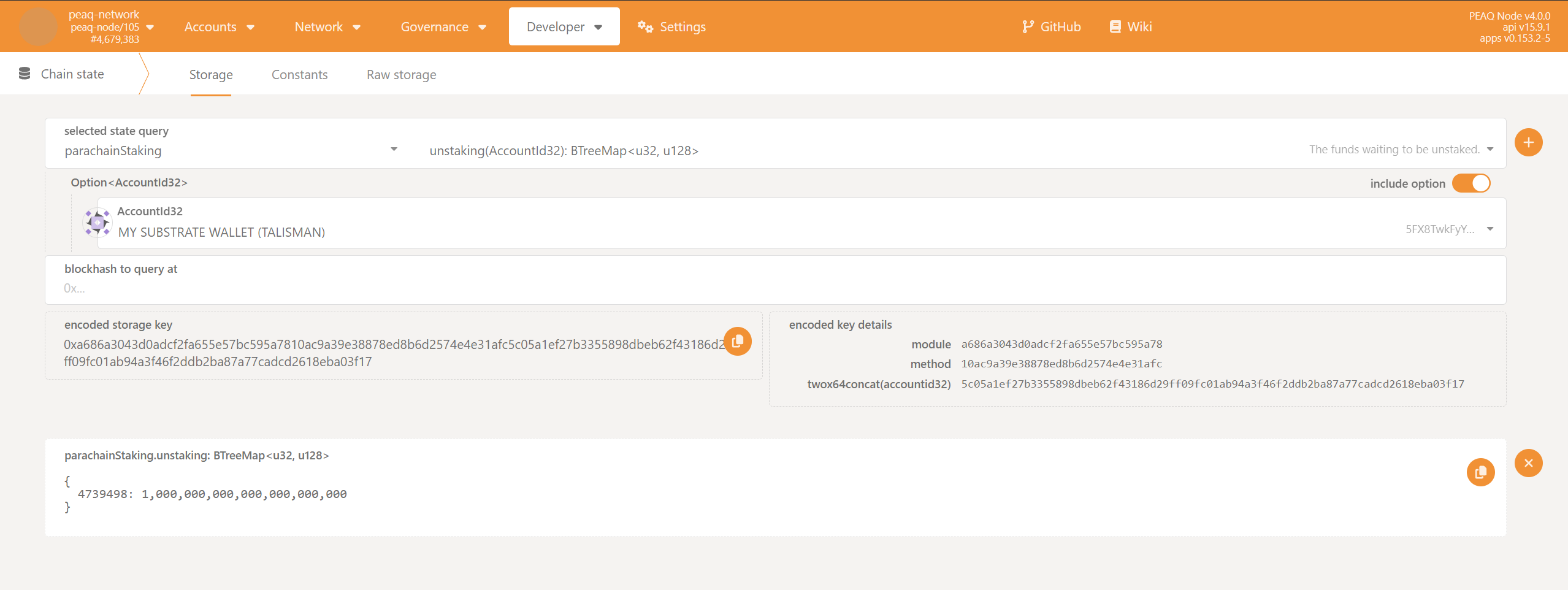
- Select
Idin the dropdown list in the fieldtarget: MultiAddress (LookupSource). - Use the address of your delegator account in the
Id:AccountIdfield. - Click
Submit Transaction.