> ## Documentation Index
> Fetch the complete documentation index at: https://docs.peaq.xyz/llms.txt
> Use this file to discover all available pages before exploring further.
# EVM Token Transfer
This guide provides a detailed breakdown of a \$PEAQ token transfer between two wallets on the EVM side of the chain.
## Prerequisites:
* Download and install EVM- and Substrate-based wallets.
* MetaMask and Polkadot.js will be shown in this tutorial. You can use your preferred wallets instead.
* Review the previous [Token Guide](/peaqchain/build/getting-started/get-test-tokens).
## Receive \$PEAQ
### EVM → EVM
1. Open up your MetaMask account and copy your address. This is your public H160 (EVM address standard) address that can be used to receive \$PEAQ from another EVM address. 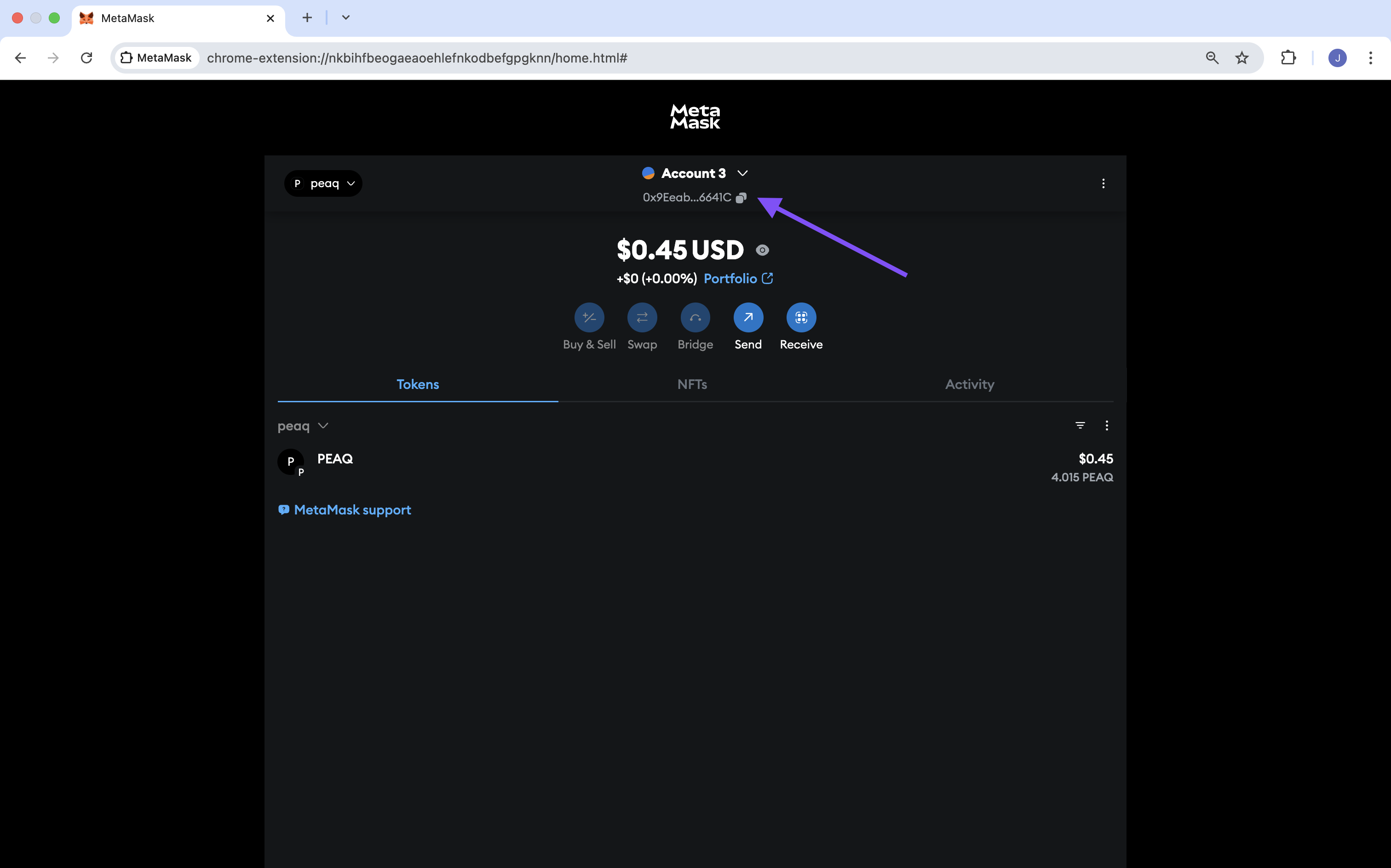 ### Substrate → EVM
In order to receive tokens from a Substrate wallet, you need to convert your EVM address into a SS58 (Substrate address standard) address with the [Address Converter](https://snow-address-converter.netlify.app/).
1. On the Address Converter, select the "H160" address format, paste your EVM address into the Address field, and click the "Go!" button.
2. In the output, you will find your EVM address converted into different standards, including its SS58 representation. Use his address to receive \$PEAQ. from a Substrate wallet.
## Send \$PEAQ
### EVM → EVM
1. Open your MetaMask wallet and click on the "Send" button.
### Substrate → EVM
In order to receive tokens from a Substrate wallet, you need to convert your EVM address into a SS58 (Substrate address standard) address with the [Address Converter](https://snow-address-converter.netlify.app/).
1. On the Address Converter, select the "H160" address format, paste your EVM address into the Address field, and click the "Go!" button.
2. In the output, you will find your EVM address converted into different standards, including its SS58 representation. Use his address to receive \$PEAQ. from a Substrate wallet.
## Send \$PEAQ
### EVM → EVM
1. Open your MetaMask wallet and click on the "Send" button.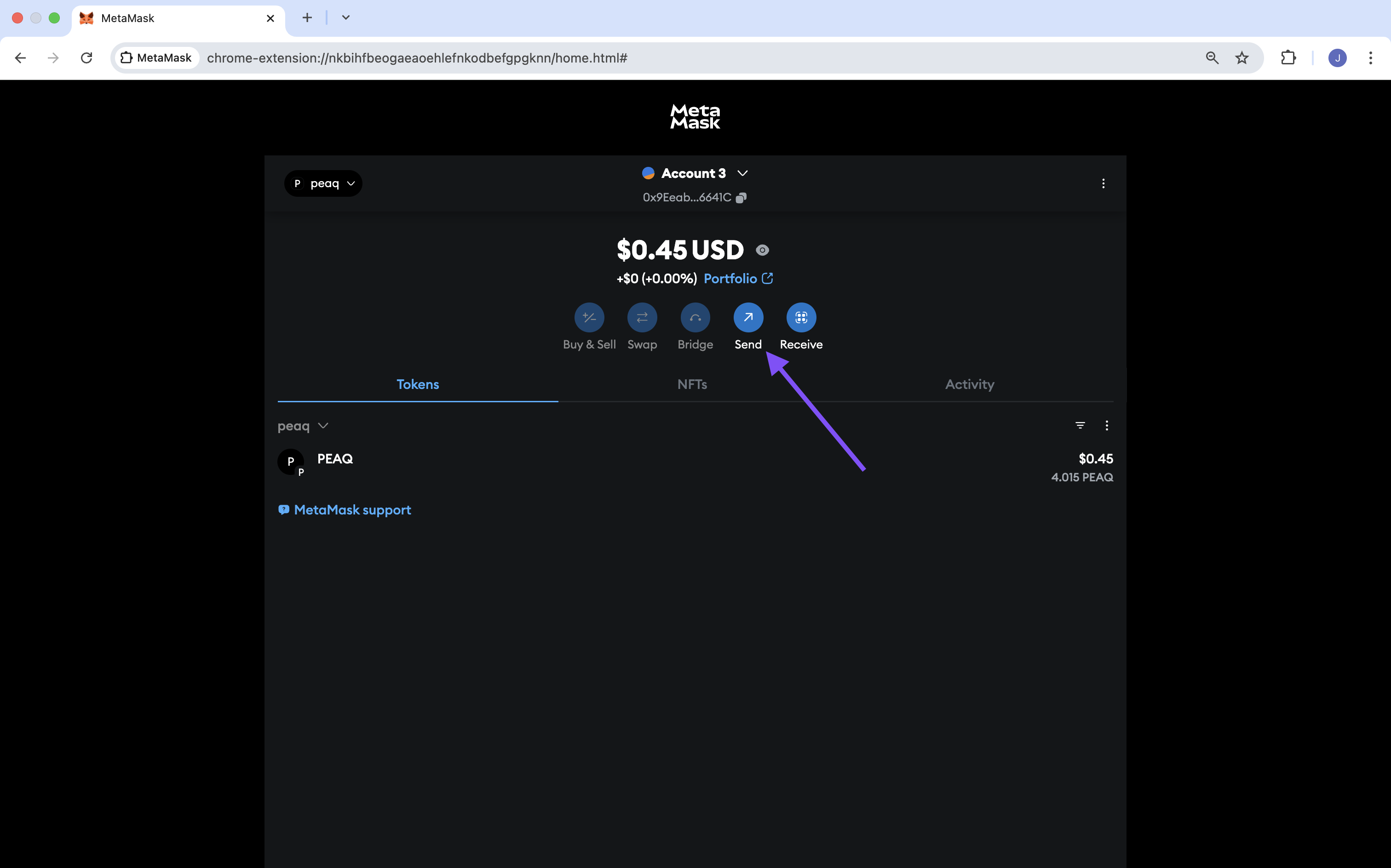 2. Acquire the recipient's EVM address and paste it in the 'to' field.
3. In the next window, set the amount of \$PEAQ you would like to transfer and click on "Continue".
2. Acquire the recipient's EVM address and paste it in the 'to' field.
3. In the next window, set the amount of \$PEAQ you would like to transfer and click on "Continue". 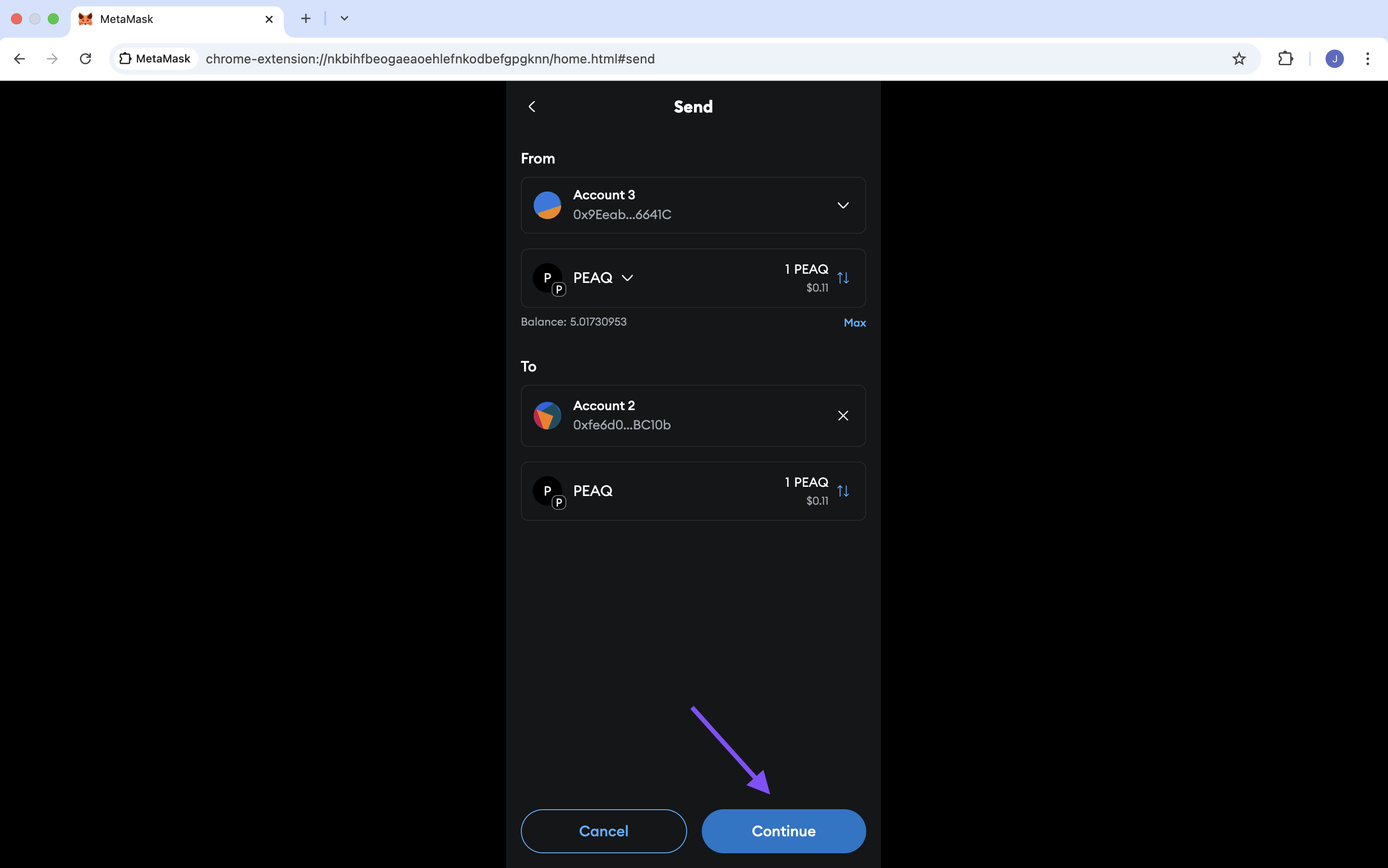 4. Review the transaction details, then click on "Confirm" if everything is correct.
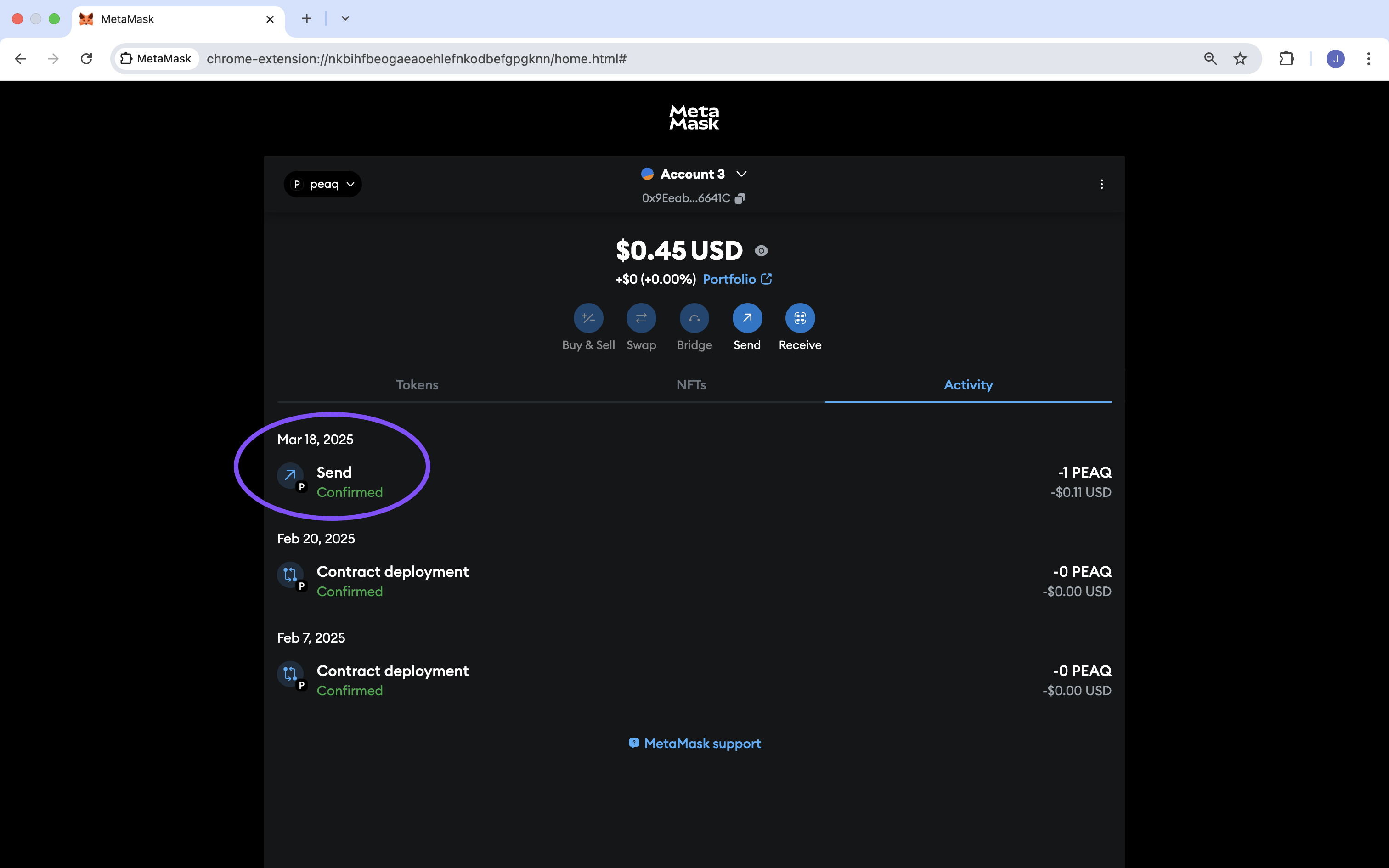
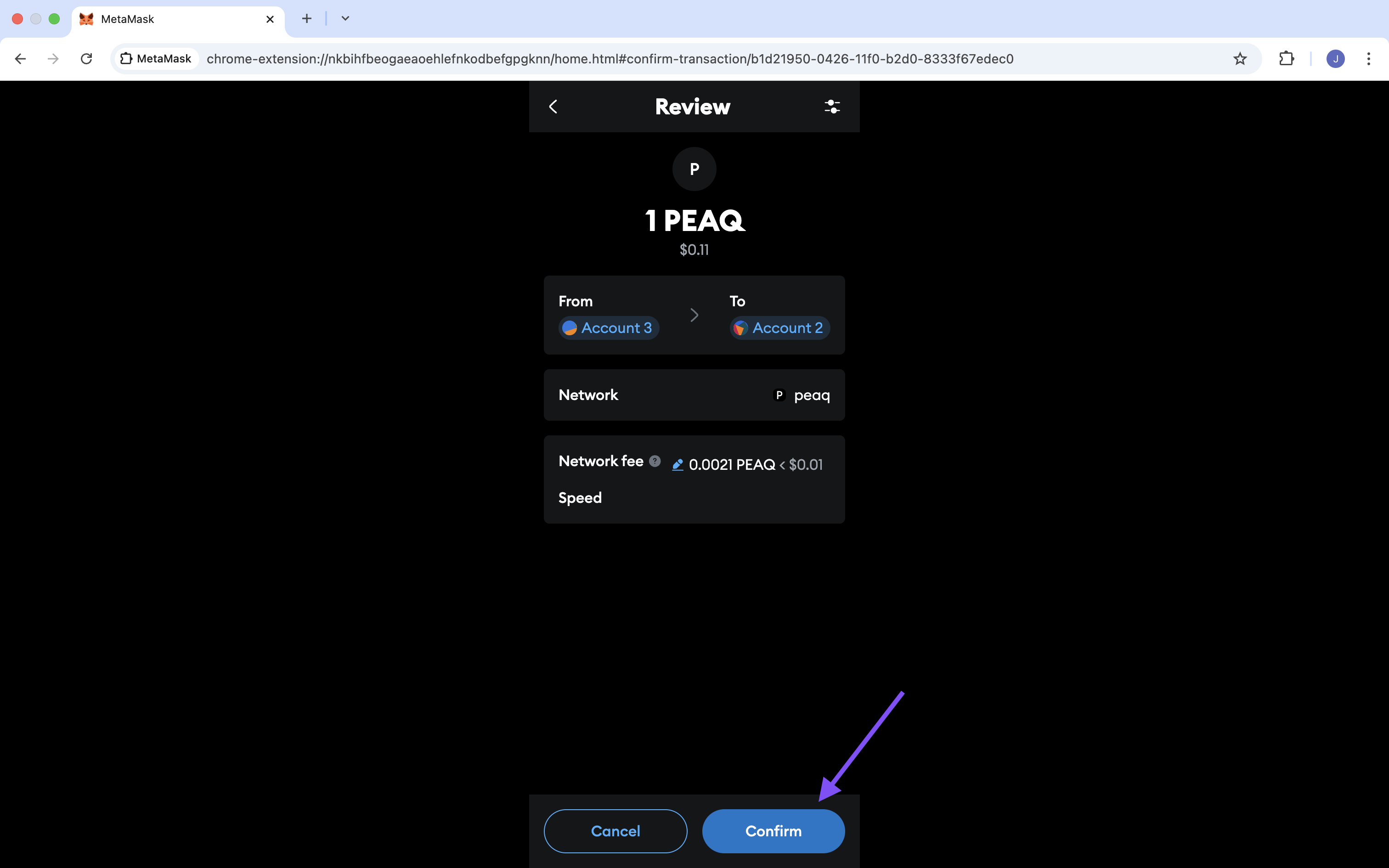 5. The transfer will execute, and the transaction will appear in your MetaMask's "Activity" tab.
  ## **EVM → Substrate**
Please follow the EVM → Substrate guide on the [Substrate Token Transfer Page](/peaqchain/build/getting-started/how-to-send-receive-peaq/substrate-token-transfer#evm-→-substrate) to use Address Unification and transfer \$PEAQ from a H160 wallet to a SS58.
## **EVM → Substrate**
Please follow the EVM → Substrate guide on the [Substrate Token Transfer Page](/peaqchain/build/getting-started/how-to-send-receive-peaq/substrate-token-transfer#evm-→-substrate) to use Address Unification and transfer \$PEAQ from a H160 wallet to a SS58.