> ## Documentation Index
> Fetch the complete documentation index at: https://docs.peaq.xyz/llms.txt
> Use this file to discover all available pages before exploring further.
# Deploying ERC-20 Token
In this guide, you will learn how to deploy an **ERC-20** token smart contract on AGUNG using **Remix**, a browser-based Solidity development environment. This guide uses a boilerplate ERC-20 contract, and you will customize key parameters such as:
* `Token Name`
* `Symbol`
* `Decimals`
* `Total Supply`
By the end, you'll have your very own **ERC-20** token deployed on our AGUNG testnet.
## Prerequisites
* **Basic understanding** of blockchain and ERC-20 tokens.
* **Installed MetaMask** browser extension with AGUNG network set-up already.
* **Familiarity** with Remix IDE ([https://remix.ethereum.org/](https://remix.ethereum.org/)).
* Using the **OpenZeppelin library** for the ERC-20 boilerplate.
* A **wallet** with AGUNG network PEAQ for gas fees.
## Instructions
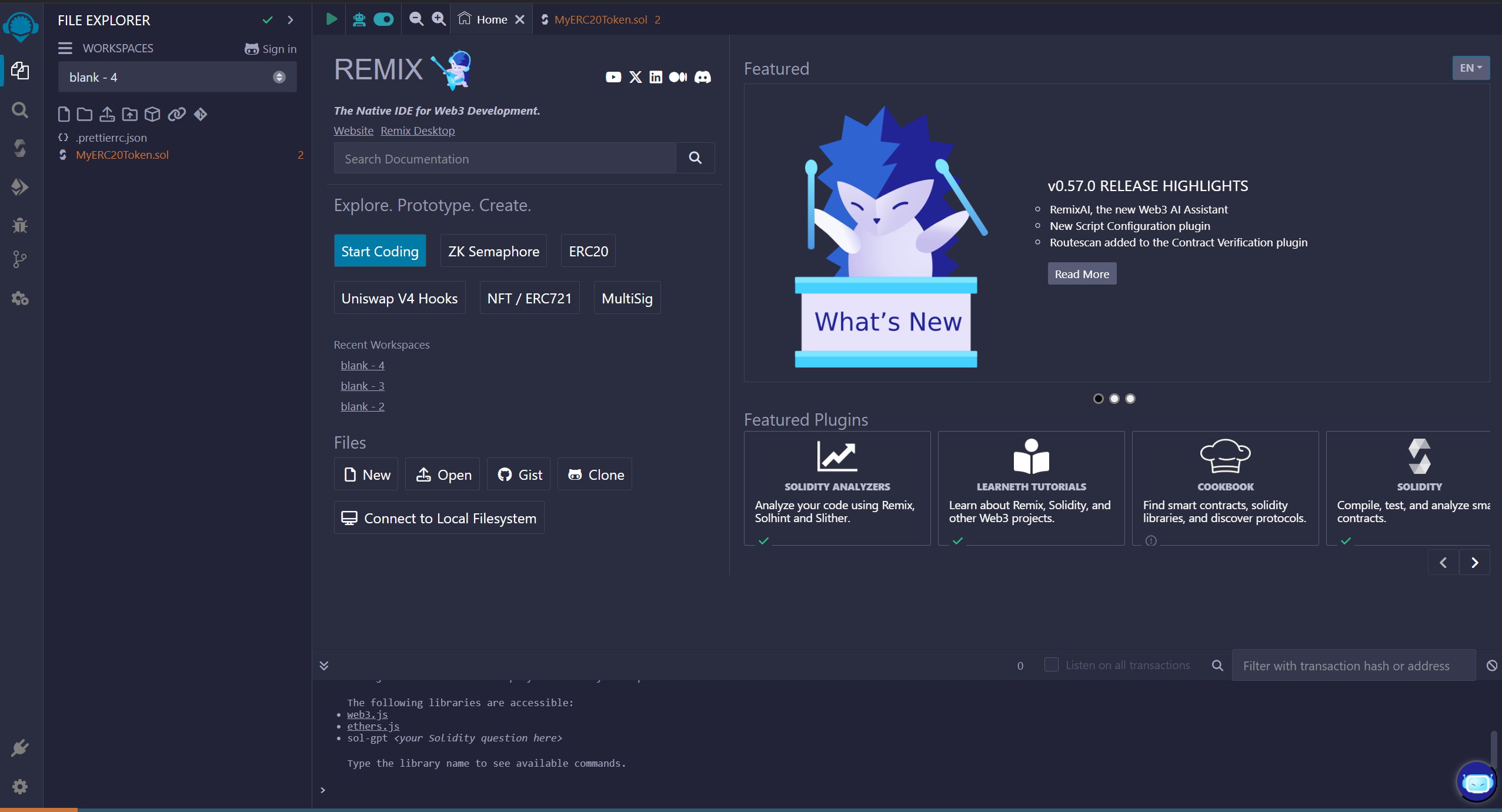
### 1. Open Remix IDE
* Visit Remix and create a new workspace.
* Click on **"File Explorers"** and select **"Create a New File"**.
* Name the file: `MyERC20Token.sol`.
 ### 2. ERC-20 Code
Copy and paste the following boilerplate ERC-20 smart contract code into your newly created file:
```solidity theme={"theme":{"light":"github-light-default","dark":"github-dark"}}
// SPDX-License-Identifier: MIT
pragma solidity ^0.8.20;
// Import OpenZeppelin's ERC-20 implementation
import "@openzeppelin/contracts/token/ERC20/ERC20.sol";
contract MyToken is ERC20 { // Here we are declaring the contract & inheriting ERC20
constructor(uint256 initialSupply) ERC20("MyToken", "MTK") {
_mint(msg.sender, initialSupply * (10 ** uint256(decimals())));
}
}
```
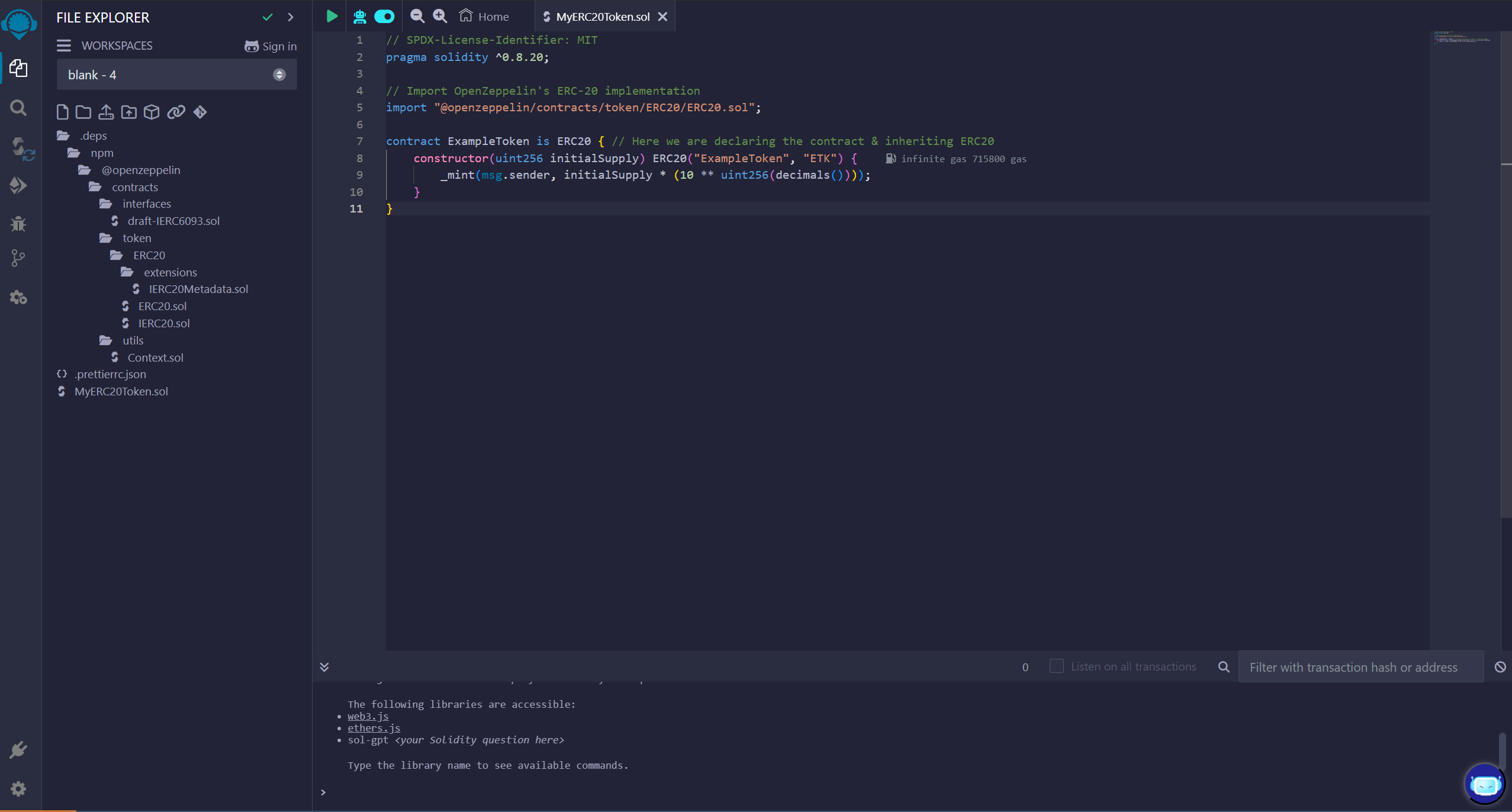
### 3. Modify Token Details
Update the following placeholders in the code:
* **Token Name**: Replace `"MyToken"` with your token's name (e.g., `"ExampleToken"`).
* **Symbol**: Replace `"MTK"` with a short symbol (e.g., `"EXT"`).
* **Total Supply**: The `initialSupply` (input during deployment) defines the number of tokens created.
**Example**: For a 1,000,000 total supply with 18 decimals, input **1,000,000** during contract deployment (Step 5).
### 2. ERC-20 Code
Copy and paste the following boilerplate ERC-20 smart contract code into your newly created file:
```solidity theme={"theme":{"light":"github-light-default","dark":"github-dark"}}
// SPDX-License-Identifier: MIT
pragma solidity ^0.8.20;
// Import OpenZeppelin's ERC-20 implementation
import "@openzeppelin/contracts/token/ERC20/ERC20.sol";
contract MyToken is ERC20 { // Here we are declaring the contract & inheriting ERC20
constructor(uint256 initialSupply) ERC20("MyToken", "MTK") {
_mint(msg.sender, initialSupply * (10 ** uint256(decimals())));
}
}
```
### 3. Modify Token Details
Update the following placeholders in the code:
* **Token Name**: Replace `"MyToken"` with your token's name (e.g., `"ExampleToken"`).
* **Symbol**: Replace `"MTK"` with a short symbol (e.g., `"EXT"`).
* **Total Supply**: The `initialSupply` (input during deployment) defines the number of tokens created.
**Example**: For a 1,000,000 total supply with 18 decimals, input **1,000,000** during contract deployment (Step 5).
 ### 4. Compile the Contract
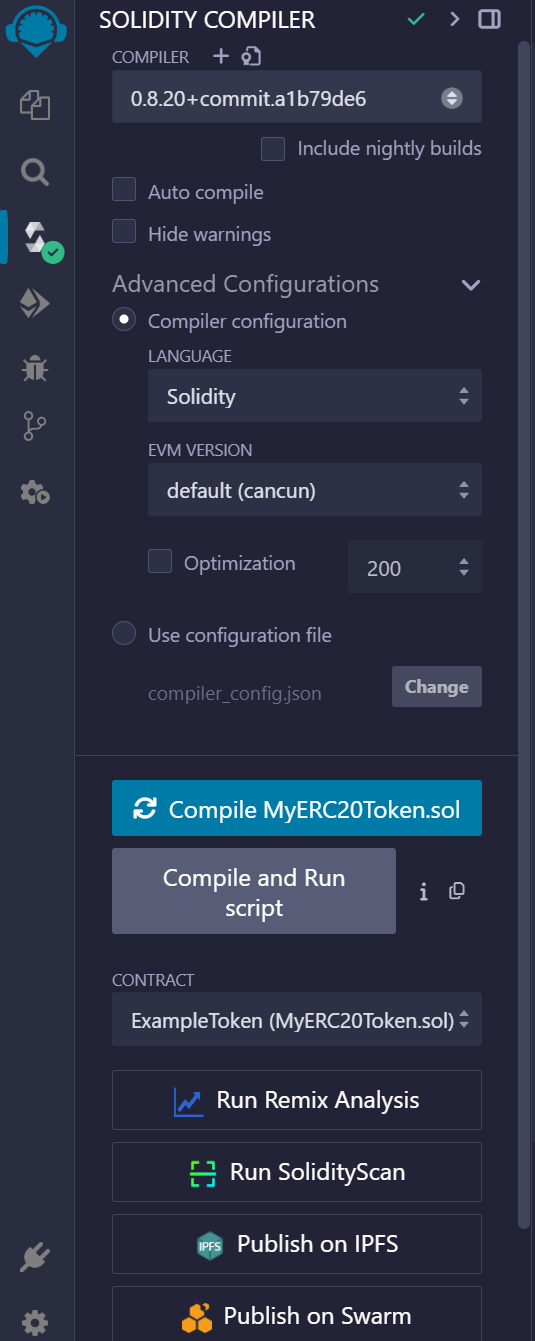
In the **Solidity Compile** tab:
* Select the Solidity version (e.g., `0.8.20+commit.a1b79de6`).
* Click **Compile MyERC20Token.sol**.
* Ensure there are no errors.
### 4. Compile the Contract
In the **Solidity Compile** tab:
* Select the Solidity version (e.g., `0.8.20+commit.a1b79de6`).
* Click **Compile MyERC20Token.sol**.
* Ensure there are no errors.
 ### 5. Deploy the Contract
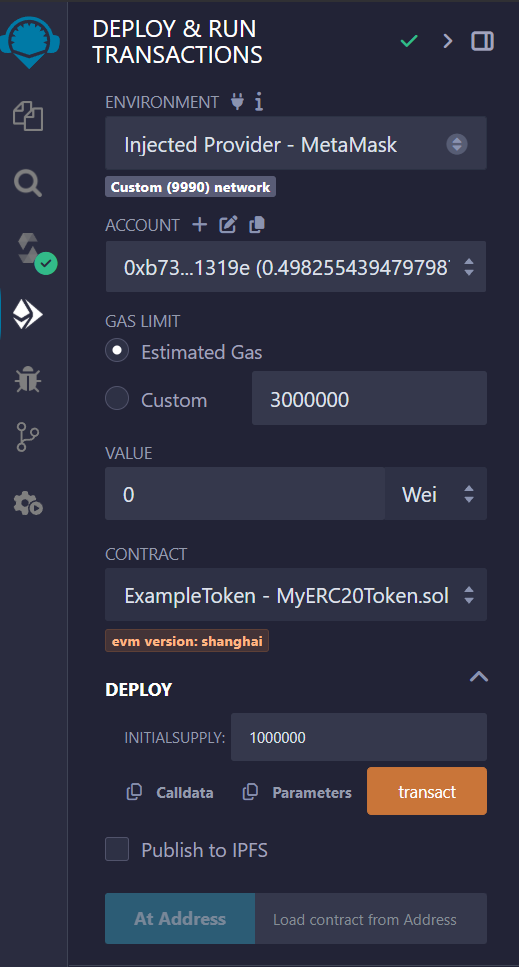
* Go to the **Deploy & Run Transactions** tab in Remix.
* Select **Injected Web3** as the environment to connect MetaMask.
* Choose your **testnet wallet account** in MetaMask.
* In the constructor field, enter your desired **Total Supply** (e.g., `1000000` for 1 Million).
* Click **Transact** under **Deploy** and confirm the transaction in MetaMask.
### 5. Deploy the Contract
* Go to the **Deploy & Run Transactions** tab in Remix.
* Select **Injected Web3** as the environment to connect MetaMask.
* Choose your **testnet wallet account** in MetaMask.
* In the constructor field, enter your desired **Total Supply** (e.g., `1000000` for 1 Million).
* Click **Transact** under **Deploy** and confirm the transaction in MetaMask.
 ### 6. Verify Deployment
 Remix IDE's console logging a successful execution of the transaction to deploy the smart contract ExampleToken (MyERC20Token.sol) to AGUNG network.
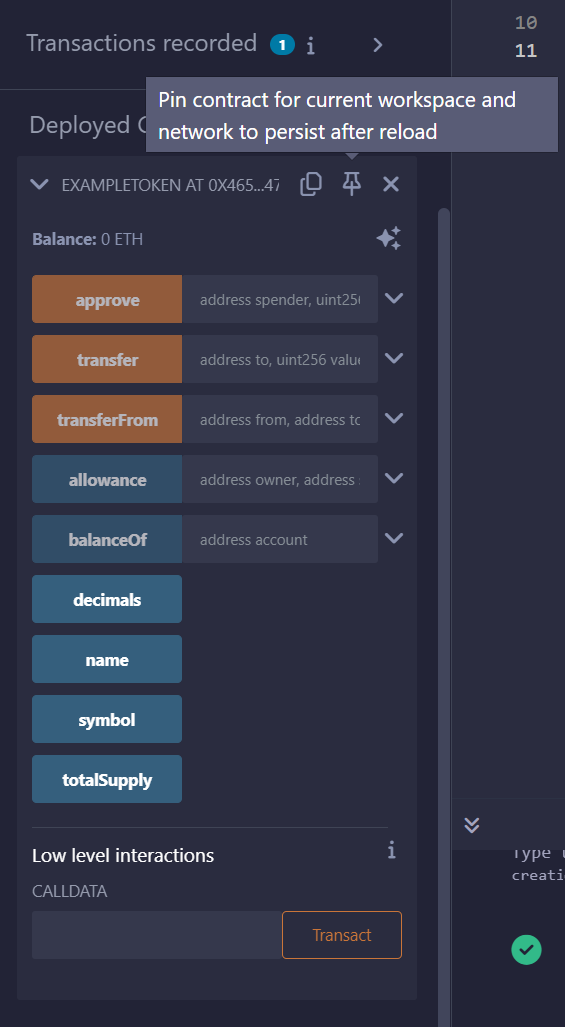
* After deployment, your contract will appear under **Deployed Contracts** in Remix.
* Use the **Read Functions (blue)** to verify details like `name()`, `symbol()`, and `totalSupply()`.
* You can also **check your token balance** using the `balanceOf()` function by inputting your wallet address.
Remix IDE's console logging a successful execution of the transaction to deploy the smart contract ExampleToken (MyERC20Token.sol) to AGUNG network.
* After deployment, your contract will appear under **Deployed Contracts** in Remix.
* Use the **Read Functions (blue)** to verify details like `name()`, `symbol()`, and `totalSupply()`.
* You can also **check your token balance** using the `balanceOf()` function by inputting your wallet address.
 ## Summary
🎉 Congratulations! You have successfully deployed your first **ERC-20** token on our AGUNG testnet. You can now view your contract on a block explorer (like Subscan)
and interact with it through the interface in Remix. For further enhancements to your ERC-20 token, explore features like **minting**, **burning**, or **transferring tokens**.
## Summary
🎉 Congratulations! You have successfully deployed your first **ERC-20** token on our AGUNG testnet. You can now view your contract on a block explorer (like Subscan)
and interact with it through the interface in Remix. For further enhancements to your ERC-20 token, explore features like **minting**, **burning**, or **transferring tokens**.