> ## Documentation Index
> Fetch the complete documentation index at: https://docs.peaq.xyz/llms.txt
> Use this file to discover all available pages before exploring further.
# Leave Validator Pool
## Initiate Leave Request
`Developer → Extrinsics → Submission → parachainStaking → initLeaveCandidates`
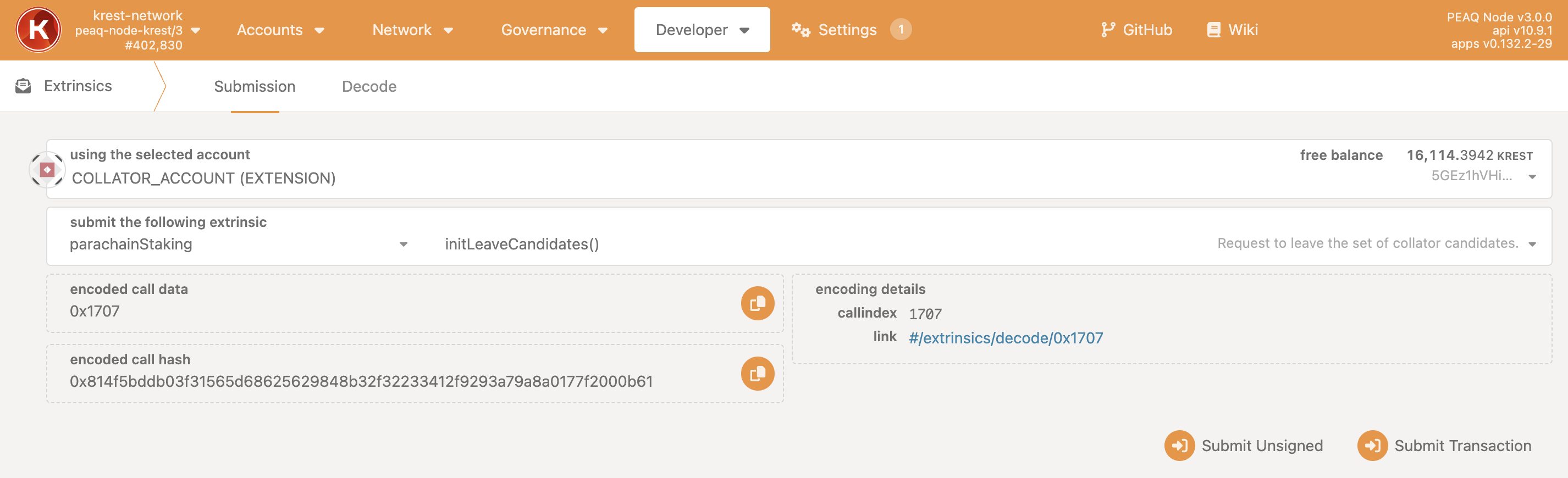 1. Click `Submit Transaction`.
## Check Whether You Can Exit
You need to wait for 5 min after sending `initLeaveCandidates`.
`Developer → Chain state → parachainStaking → candidatePool()`
1. Click `Submit Transaction`.
## Check Whether You Can Exit
You need to wait for 5 min after sending `initLeaveCandidates`.
`Developer → Chain state → parachainStaking → candidatePool()`
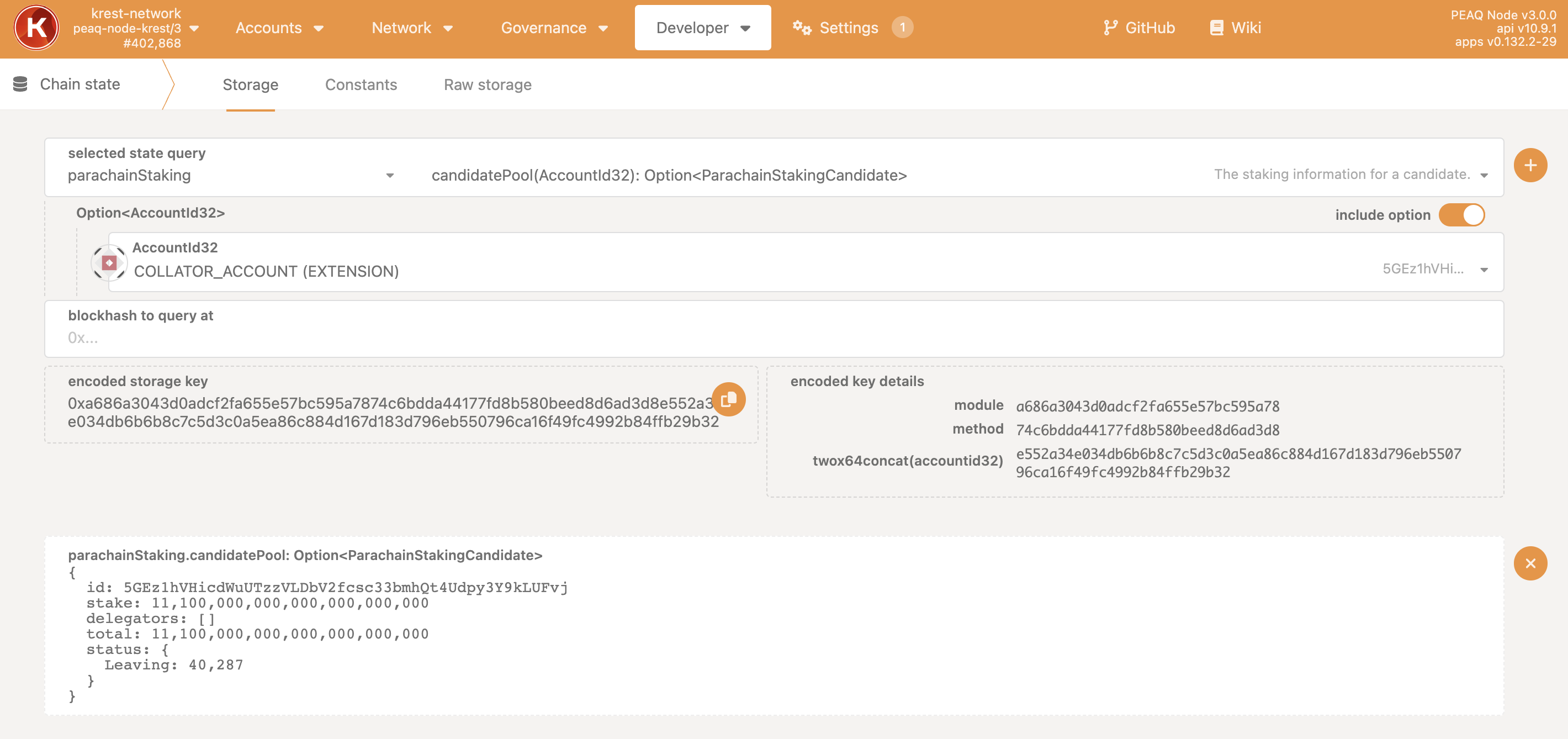 1. Toggle the switch to `include option` and select your validator address in the `AccountId32` field.
2. Click the `+` button.
3. Confirm that your status is `Leaving`.
## Execute Leave Request
`Developer → Extrinsics → Submission → parachainStaking → executeLeaveCandidates`
1. Toggle the switch to `include option` and select your validator address in the `AccountId32` field.
2. Click the `+` button.
3. Confirm that your status is `Leaving`.
## Execute Leave Request
`Developer → Extrinsics → Submission → parachainStaking → executeLeaveCandidates`
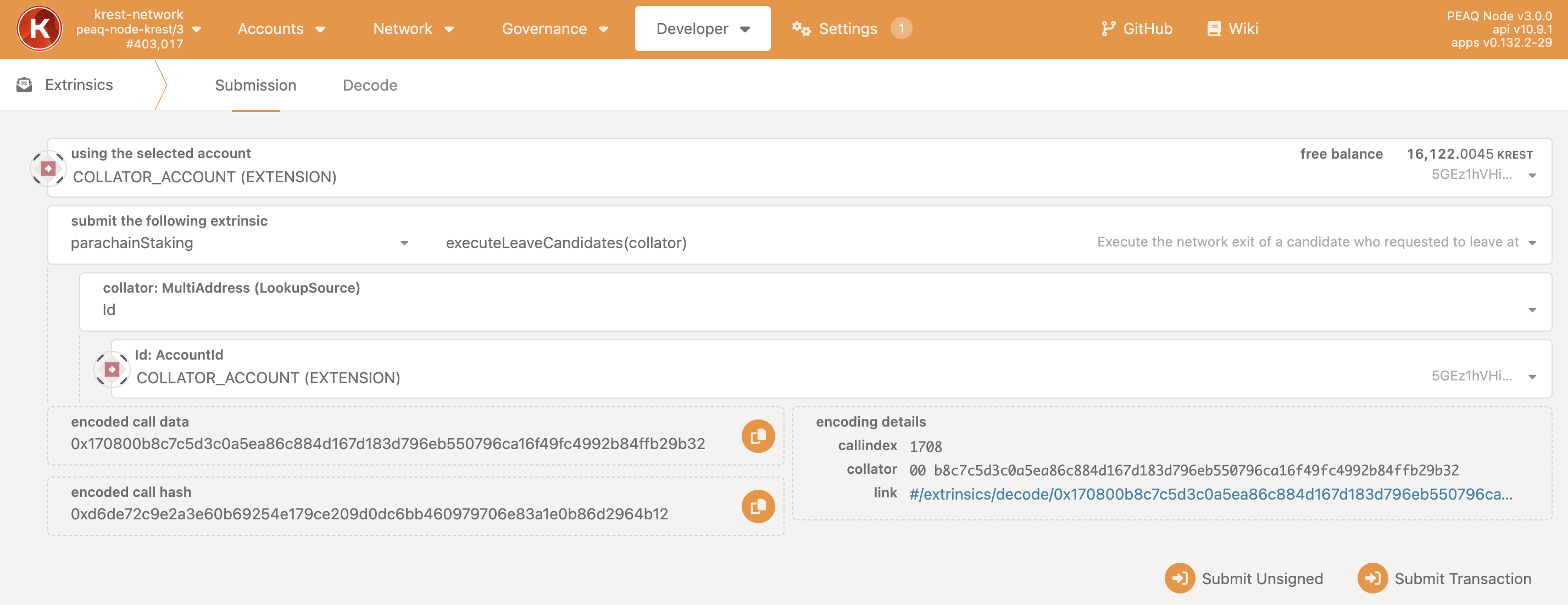 1. Select `Id` in the dropdown list in the field `collator: MultiAddress (LookupSource)`.
2. Use the address of your validator account in the `Id:AccountId` field.
3. Click `Submit Transaction`.
## Unlock Your Unstaked Tokens
`Developer → Extrinsics → Submission → parachainStaking → unlockUnstaked(target)`
* You will be able to unlock your tokens in 14 days after sending `executeLeaveCandidates`.
* To check when you'll be able to unstake, use:
`Developer → Chain state → parachainStaking → unstaking`
1. Select `Id` in the dropdown list in the field `collator: MultiAddress (LookupSource)`.
2. Use the address of your validator account in the `Id:AccountId` field.
3. Click `Submit Transaction`.
## Unlock Your Unstaked Tokens
`Developer → Extrinsics → Submission → parachainStaking → unlockUnstaked(target)`
* You will be able to unlock your tokens in 14 days after sending `executeLeaveCandidates`.
* To check when you'll be able to unstake, use:
`Developer → Chain state → parachainStaking → unstaking`
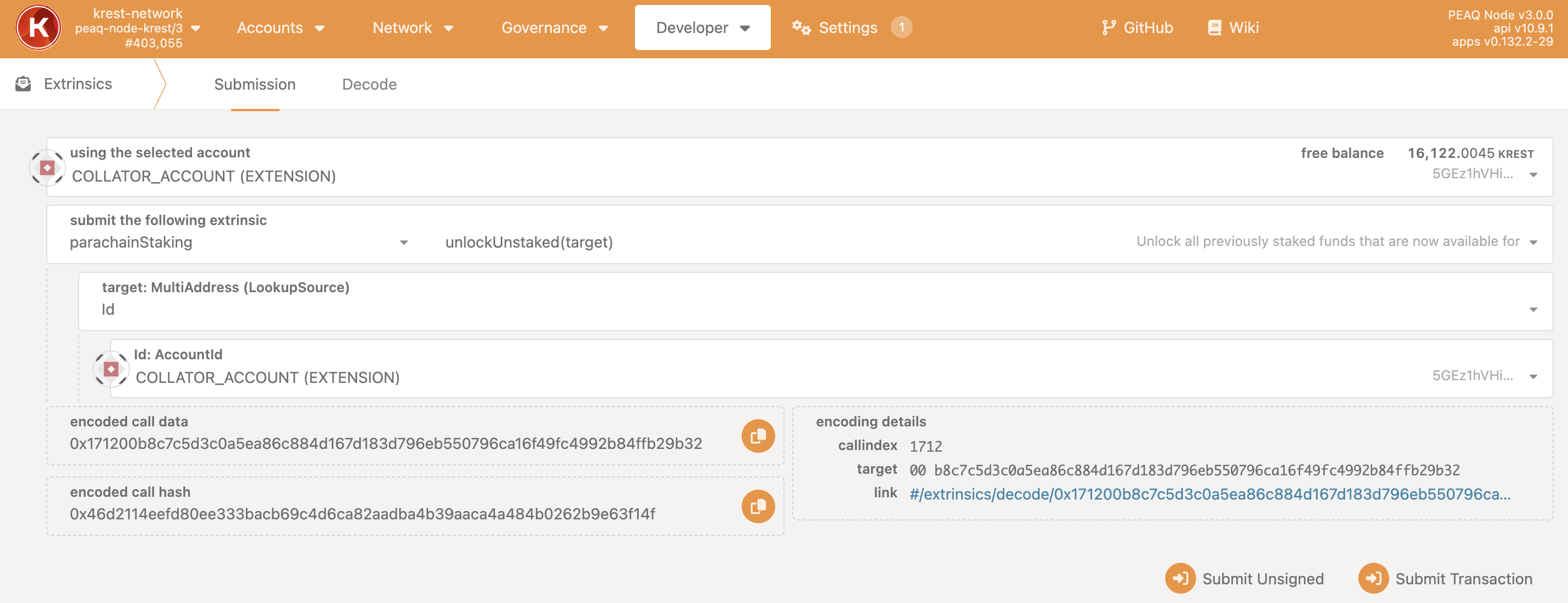 1. Select `Id` in the dropdown list in the field `target: MultiAddress (LookupSource)`.
2. Use the address of your validator account in the `Id:AccountId` field.
3. Click `Submit Transaction`.
1. Select `Id` in the dropdown list in the field `target: MultiAddress (LookupSource)`.
2. Use the address of your validator account in the `Id:AccountId` field.
3. Click `Submit Transaction`.