> ## Documentation Index
> Fetch the complete documentation index at: https://docs.peaq.xyz/llms.txt
> Use this file to discover all available pages before exploring further.
# Join Candidate Pool
## Request to Join a Validator Pool
Go to the [polkadot.js portal](https://polkadot.js.org/apps/?rpc=wss%3A%2F%2Fpeaq.api.onfinality.io%2Fpublic#/explorer), open the **Developer** tab, and click **Extrinsics**. There, you'll need to submit the extrinsic:
`Developer → Extrinsic → parachainStaking → joinCandidates(stake)`
The min stake amount for the validator is 50,000 \$PEAQ.
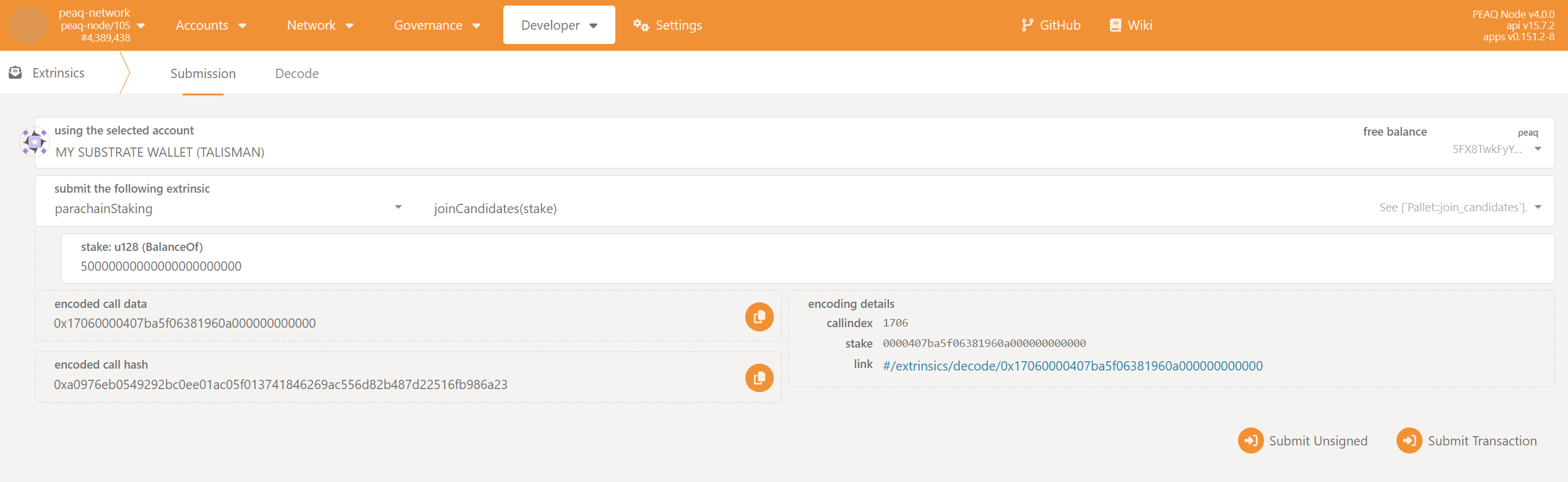 Keep in mind that peaq has `18` decimals, so if you want to stake `50,000` tokens, you'll need to enter `50000000000000000000000`.
1. Enter your stake into the `stake: u128 (BalanceOf)` field.
2. Click `Submit Transaction`.
### Check if You Are in the Active Set of Validators
Open the **Developer** tab, and click **Chain state**. There, you will be able to check whether your stake was big enough to get a set in the active set of validators (top `42` validators by total stake).
`Developer → Chain state → Storage → parachainStaking → topCandidates()`
Keep in mind that peaq has `18` decimals, so if you want to stake `50,000` tokens, you'll need to enter `50000000000000000000000`.
1. Enter your stake into the `stake: u128 (BalanceOf)` field.
2. Click `Submit Transaction`.
### Check if You Are in the Active Set of Validators
Open the **Developer** tab, and click **Chain state**. There, you will be able to check whether your stake was big enough to get a set in the active set of validators (top `42` validators by total stake).
`Developer → Chain state → Storage → parachainStaking → topCandidates()`
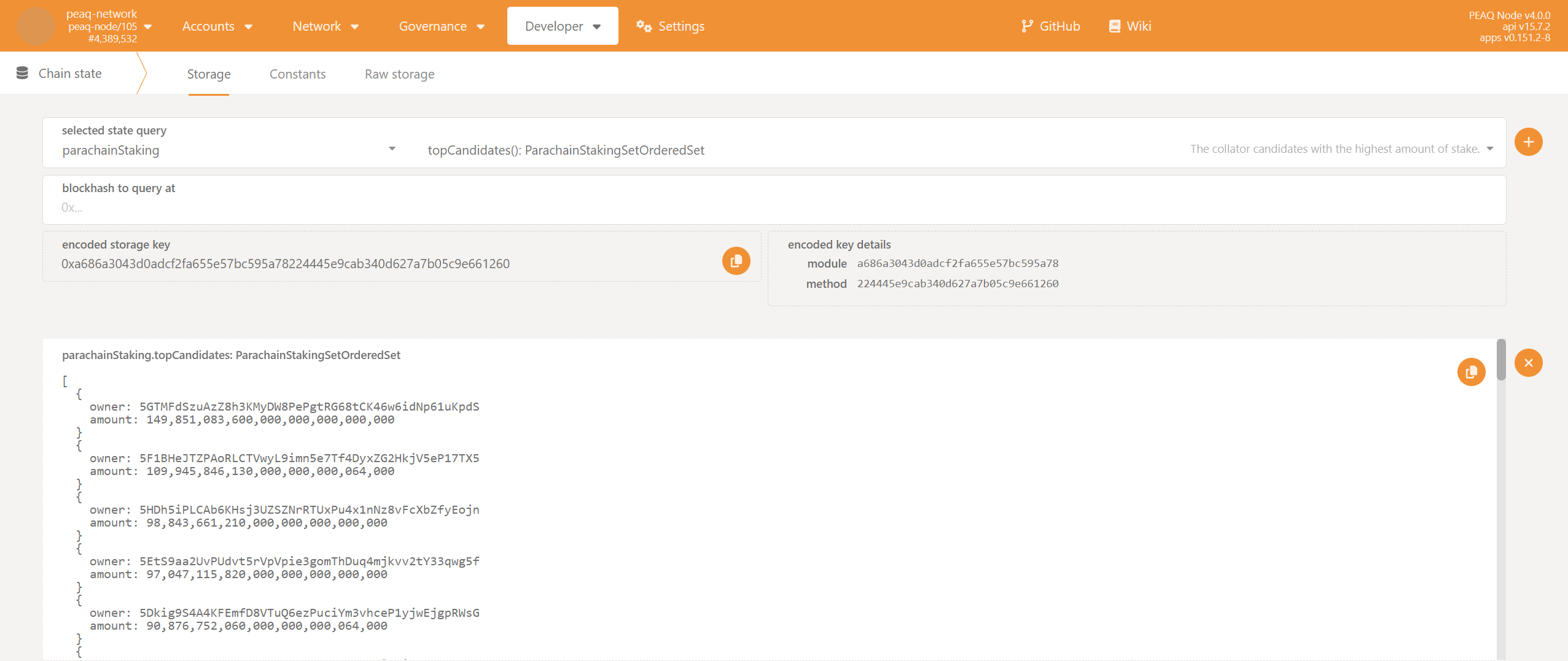 Confirm that your validator account is in the result
### Confirm that Your Validator Node is Authoring Blocks
Wait for **two sessions** (2400 blocks or \~4hrs) to see whether your node starts authoring blocks. You can **verify** it by going to the peaq block explorer and checking that your address started getting validator rewards.
Confirm that your validator account is in the result
### Confirm that Your Validator Node is Authoring Blocks
Wait for **two sessions** (2400 blocks or \~4hrs) to see whether your node starts authoring blocks. You can **verify** it by going to the peaq block explorer and checking that your address started getting validator rewards.