> ## Documentation Index
> Fetch the complete documentation index at: https://docs.peaq.xyz/llms.txt
> Use this file to discover all available pages before exploring further.
# Adjust Delegator Stake
## Adjust Delegator Stake
Open the **Developer** tab, and click **Extrinsics**. There, you'll need to submit the extrinsic with the amount you would like to add/subtract from your stake.
### To Increase Your Stake
`Developer → Extrinsics → Submission → parachainStaking → delegatorStakeMore(more)`
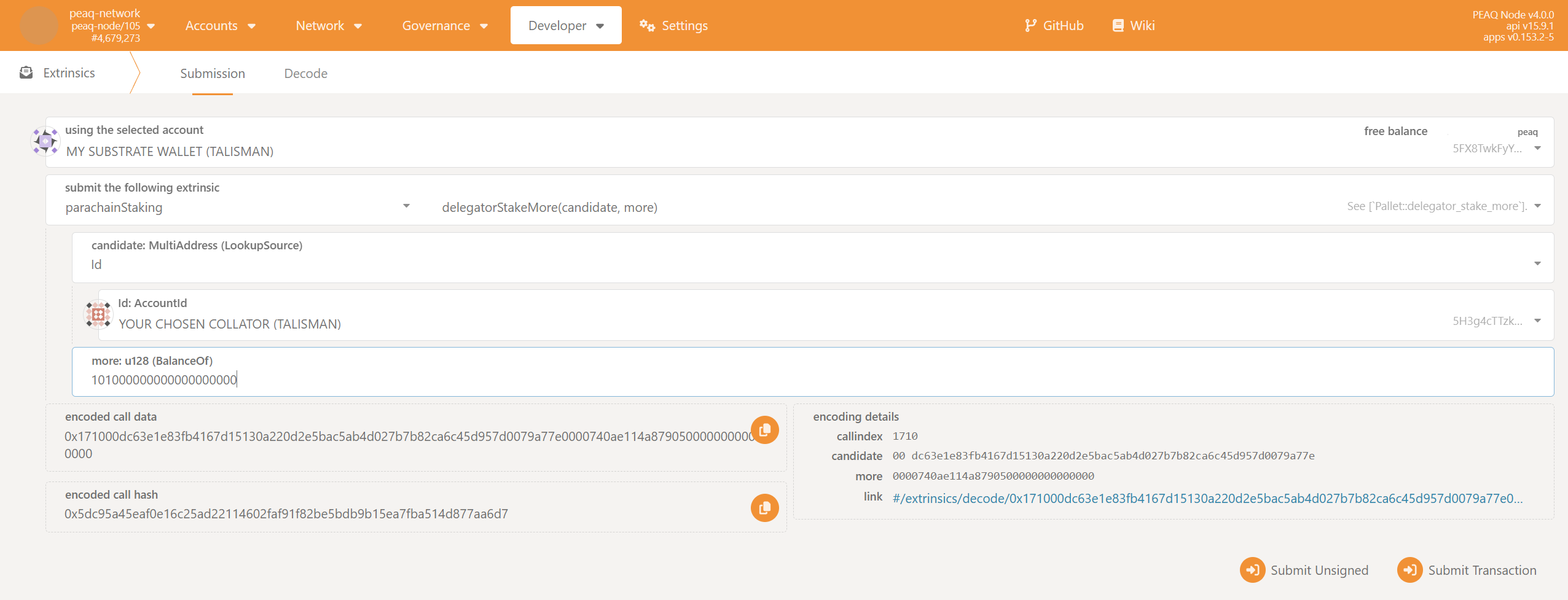 Keep in mind that peaq has 18 decimals, so if you want to stake 300 tokens you'll need to enter `300000000000000000000`.
1. Select `Id` in the dropdown list in the field `collator: MultiAddress (LookupSource)`.
2. Paste the same `Id` (which you used during the `joinDelegators` step) to the `Id:AccountId` field.
3. Enter the additional staking amount to the `more: u128 (BalanceOf)` field.
4. Click `Submit Transaction`
### To Decrease Your Stake
`Developer → Extrinsics → Submission → parachainStaking → delegatorStakeLess(less)`
Keep in mind that peaq has 18 decimals, so if you want to stake 300 tokens you'll need to enter `300000000000000000000`.
1. Select `Id` in the dropdown list in the field `collator: MultiAddress (LookupSource)`.
2. Paste the same `Id` (which you used during the `joinDelegators` step) to the `Id:AccountId` field.
3. Enter the additional staking amount to the `more: u128 (BalanceOf)` field.
4. Click `Submit Transaction`
### To Decrease Your Stake
`Developer → Extrinsics → Submission → parachainStaking → delegatorStakeLess(less)`
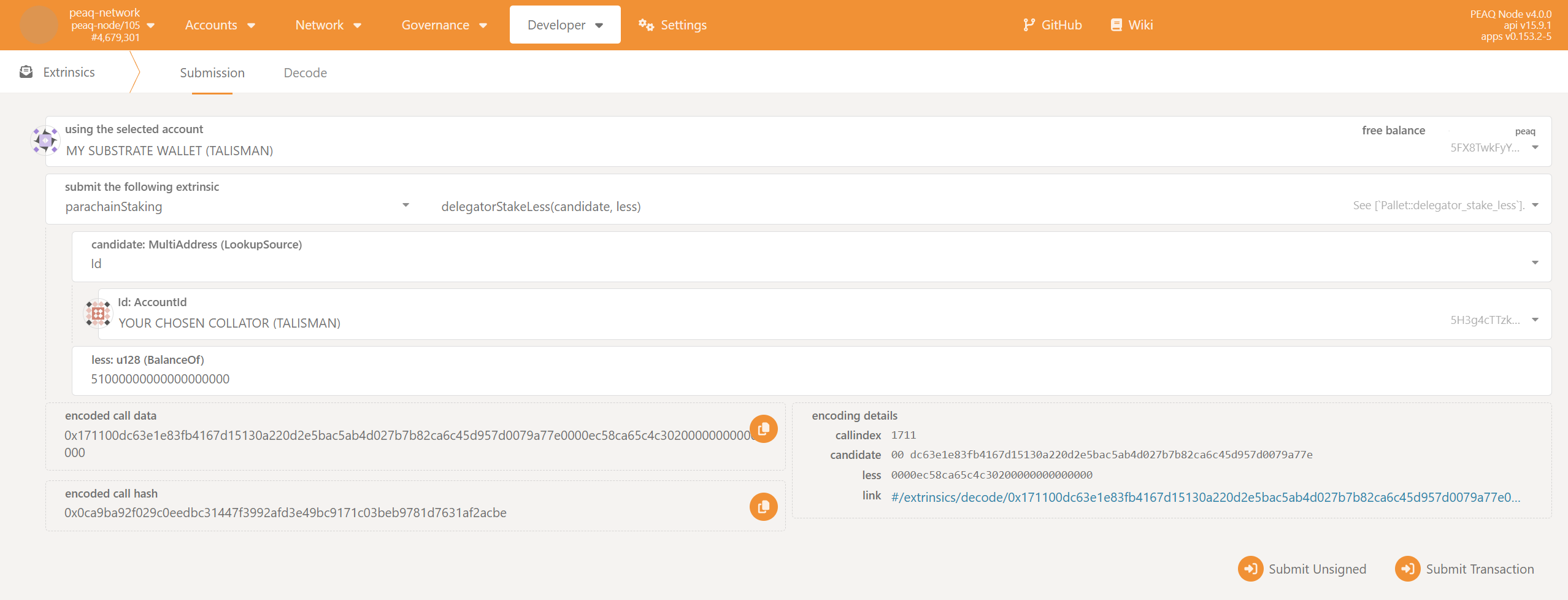 Keep in mind that peaq has 18 decimals, so if you want to stake 100 tokens you'll need to enter `100000000000000000000`.
1. Select `Id` in the dropdown list in the field `collator: MultiAddress (LookupSource)`.
2. Paste the same `Id` (which you used during the `joinDelegators` step) to the `Id:AccountId` field.
3. Enter the staking amount to be subtracted in the `less: u128 (BalanceOf)` field.
4. Click `Submit Transaction`
## Unlock Your Unstaked Tokens
`Developer → Extrinsics → Submission → parachainStaking → unlockUnstaked(target)`
Keep in mind that peaq has 18 decimals, so if you want to stake 100 tokens you'll need to enter `100000000000000000000`.
1. Select `Id` in the dropdown list in the field `collator: MultiAddress (LookupSource)`.
2. Paste the same `Id` (which you used during the `joinDelegators` step) to the `Id:AccountId` field.
3. Enter the staking amount to be subtracted in the `less: u128 (BalanceOf)` field.
4. Click `Submit Transaction`
## Unlock Your Unstaked Tokens
`Developer → Extrinsics → Submission → parachainStaking → unlockUnstaked(target)`
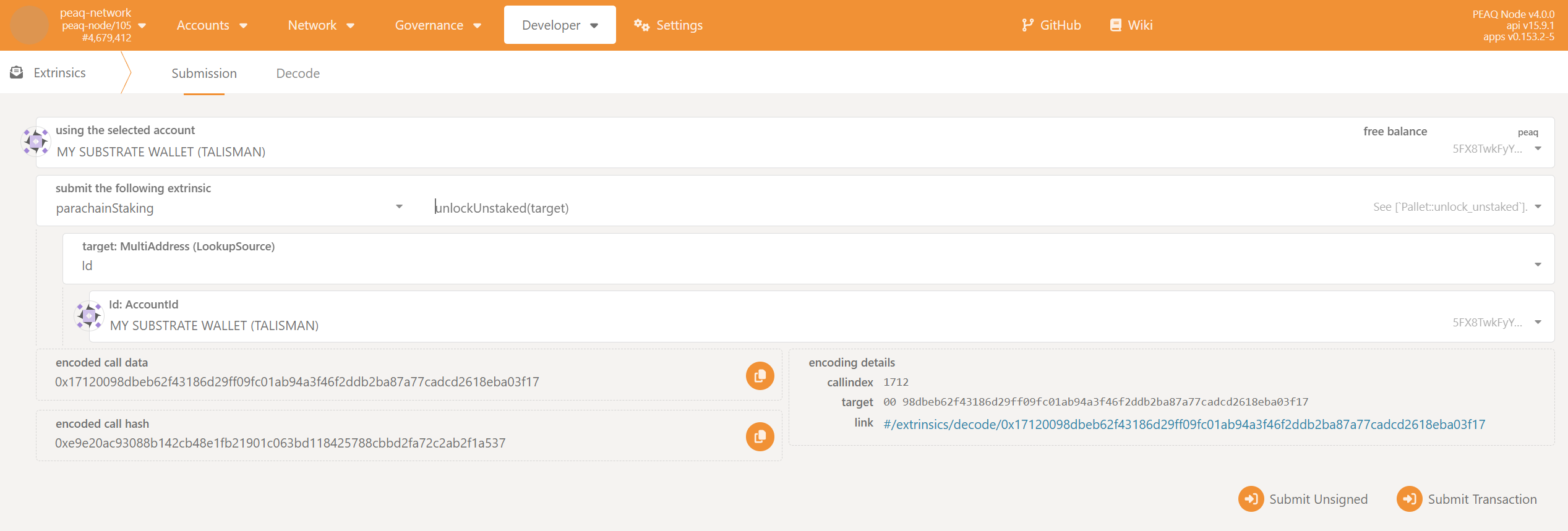 * You will be able to unlock your tokens in 14 days after sending `delegatorStakeLess`.
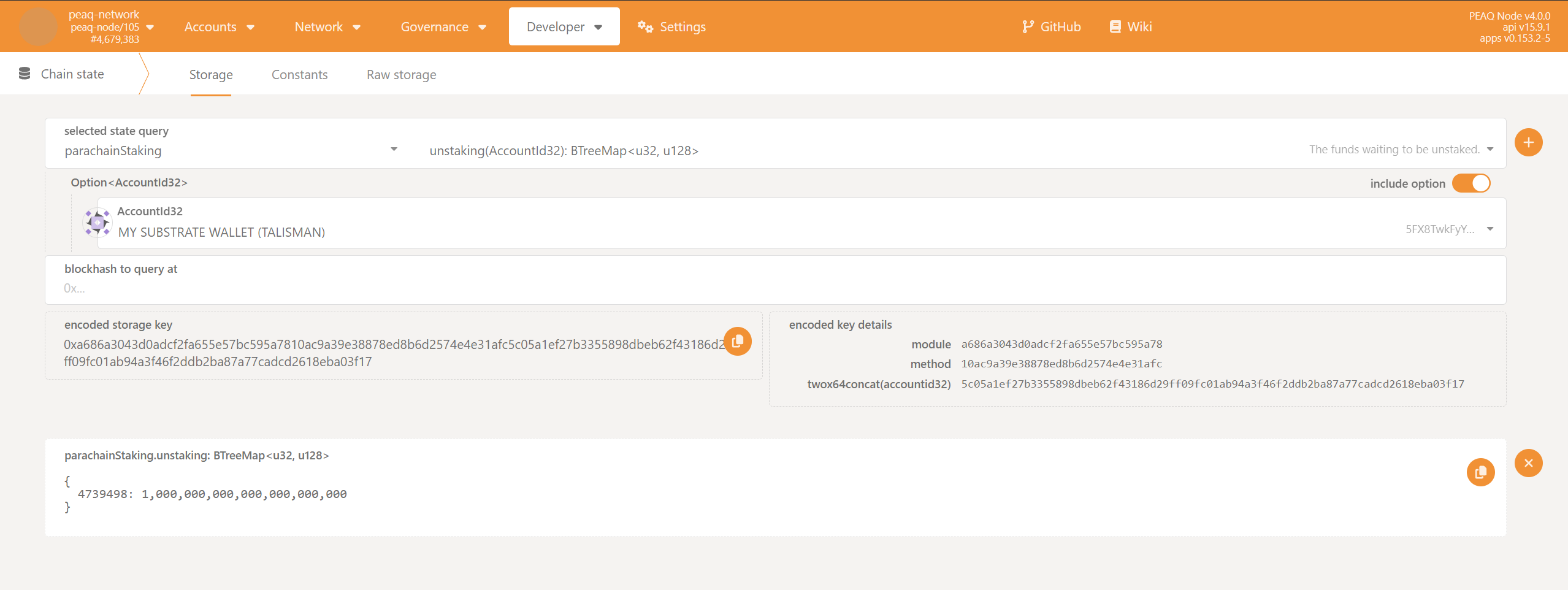
* To check when you'll be able to unstake, use:
`Developer → Chain state → parachainStaking → unstaking`
* You will be able to unlock your tokens in 14 days after sending `delegatorStakeLess`.
* To check when you'll be able to unstake, use:
`Developer → Chain state → parachainStaking → unstaking`
 1. Select `Id` in the dropdown list in the field `target: MultiAddress (LookupSource)`.
2. Use the address of your delegator account in the `Id:AccountId` field.
3. Click `Submit Transaction`.
1. Select `Id` in the dropdown list in the field `target: MultiAddress (LookupSource)`.
2. Use the address of your delegator account in the `Id:AccountId` field.
3. Click `Submit Transaction`.